Private workspaces
Create an account and a workspace. Each workspace is isolated, and the server checks access on every request.
Organise
Structure that matches how you work, with each workspace kept apart.
Create an account and a workspace. Each workspace is isolated, and the server checks access on every request.
Keep a profile for every brand: tagline, audience, voice and tone, colours, default language, logo and guideline links, and a change history.
Describe each product with variants and attributes, and keep key messages, claims, benefits and compliance notes next to it, each with an optional source and date.
Plan a campaign around one primary product with an objective, audience, key messaging, channels and a list of deliverables, with a recorded history.
AI content generation
Generation uses your brand voice, campaign brief and product knowledge, and every draft stays editable.
Generate drafts for a campaign from versioned templates that use your brand, campaign and product details. Every edit is saved as a new revision, and nothing is published automatically.
Today: Drafts are produced by a built-in template generator. Connecting a large-language-model provider is a planned step, so output is a structured starting point rather than finished copy.
Media and assets
Uploaded and generated media live side by side, with the same review rules.
Request images for a campaign. Jobs run in the background and the result lands in the media library, where it can be reviewed like any upload.
Today: No image-generation provider is connected yet, so the built-in generator returns a plain placeholder image. Real AI imagery is planned.
Request short videos from a campaign brief, using the same background-job and library workflow as images.
Today: The job pipeline is built, but no video provider is connected, so video requests are declined with a clear message today.
Upload images, videos and documents, add titles and alt text, filter by brand and type, archive and attach files to campaigns. Uploads are checked and stored per workspace.
Review and control
Know what was approved, by whom, and that it is the version in use.
Submit content or media with a checklist. Reviewers approve, request changes or reject. An approval belongs to one exact version, editing the item invalidates it, and every step is written to an audit trail.
Owner, admin, editor and viewer roles decide who can read, write, submit and approve.
Today: Inviting teammates is not available yet, so a new workspace starts with its owner. By default an approval needs a second person, so approving work in a one-person workspace waits for team invitations.
A responsive web app for desktop, tablet and phone that can be installed. Only the application shell is cached for offline use; your data is never stored by the service worker.
Roadmap
These are planned. We list them so you know what to expect, not as features you can use today.
Automatic analysis of uploaded material and research with sources and dates.
Today: Not built yet. Today you add product knowledge and sources yourself.
Publish approved content to your channels.
Today: There is no publishing feature yet. The rule it will follow is already in place: only an item with a current approval of its exact version is eligible.
Feed campaign results back into the next plan.
Today: Not built yet. No analytics or channel integrations exist today.
Workflows
The product and campaign model keeps each message focused and each approval traceable.
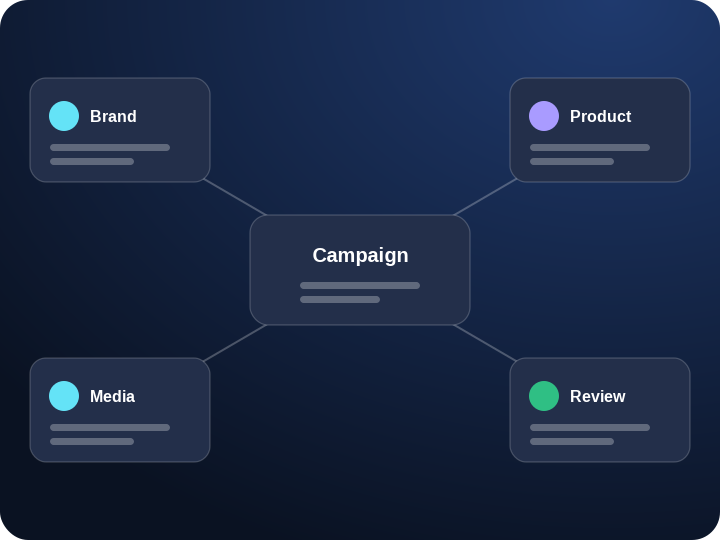
A workspace holds brands. Each brand has products with variants and product knowledge. A campaign belongs to one brand and one primary product, so a product's claims and details do not leak into another campaign.
Generate or write content in a campaign, edit it (every save is a revision), submit a specific revision with a checklist, and have it approved by a reviewer. Editing after approval requires a new review.